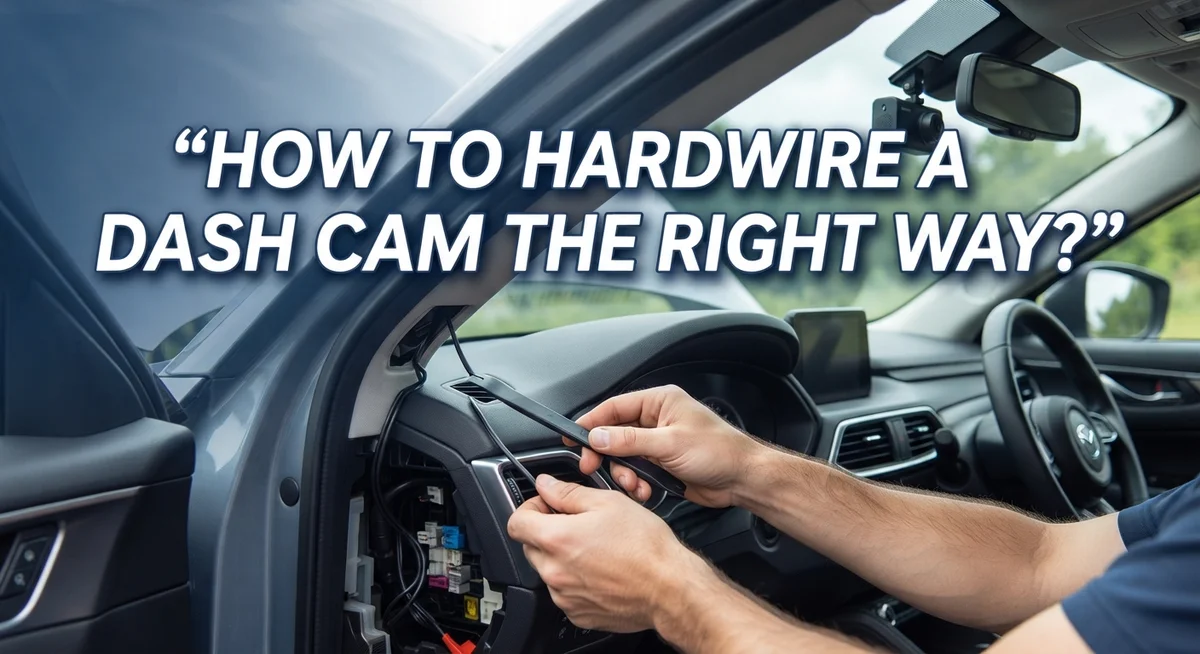
How to Hardwire a Dash Cam the Right Way?
Your dash cam should run quietly in the background. It should power on when you start your car. It should never dangle wires across your windshield.
Hardwiring makes this possible. It connects your dash cam directly to your vehicle’s fuse box. This gives you clean, reliable power every time you drive.
Many drivers skip hardwiring because it sounds technical. The truth is simpler. The wiring part is easy. The real challenge is hiding those wires neatly.
Picking the wrong fuse slot can cause bigger problems. You might damage sensitive systems like airbags or security features. That mistake gets expensive fast.
This guide walks you through the process step by step. You will learn how to find your fuse box. You will discover which fuse slots are safe to use.
We will also cover how to route and hide wires like a professional installer. By the end, your dash cam will look like it came installed from the factory.
Let’s get your dash cam wired the right way, safely and cleanly.
In a Nutshell
Here’s a quick recap before you start:
-
Gather your tools first. You will need a fuse tap kit, wire trim tools, and your dash cam’s power cable. Having everything ready saves time.
-
Find your fuse box. Most cars have two or three fuse boxes. Check your owner’s manual to locate them fast.
-
Choose an ignition switched fuse. This lets your dash cam turn on and off with your car. It also stops your battery from draining.
-
Skip risky fuse slots. Avoid airbag, security, or high voltage fuses. These are expensive and tricky to fix if something goes wrong.
-
Connect the power line properly. Do not depend only on a cigarette lighter port. A direct hardwire connection gives steadier power.
-
Route your wires with care. Tuck cables along door trims and headliners. Good routing keeps your setup looking neat and professional.
Follow these points, and your installation will feel simple. The real skill lies in hiding wires cleanly, not in the wiring itself.
What Is Dash Cam Hardwiring and How Does It Work?
Dash cam hardwiring means connecting your camera directly to your vehicle’s electrical system instead of using the cigarette lighter port. This method gives your dash cam consistent, reliable power whenever you need it.
Here’s how it works. Your vehicle has a fuse box that controls power to different systems. When you hardwire a dash cam, you tap into an ignition controlled fuse slot. This slot powers on when you start your car and powers off when you turn it off.
Why this matters: A cigarette lighter port only provides power when your engine runs or accessories are on. Hardwiring ensures your dash cam stays active whenever your vehicle is running, capturing every moment of your drive.
The process involves three main actions. First, you identify the right fuse slot in your fuse box. Second, you connect your dash cam’s power wire to that fuse using a special connector. Third, you route the wire through your vehicle’s interior, hiding it behind trim panels and headliners.
The real challenge isn’t the electrical connection. Most people find the actual wiring straightforward. The difficult part is routing wires cleanly so they stay hidden and don’t interfere with airbags, windows, or door mechanisms.
Hardwiring also protects your dash cam from accidental unplugging. Once installed, the system runs automatically without you thinking about it. Your camera turns on with your engine and turns off when you park.
This setup is especially useful if you want your dash cam recording while your car sits parked. Some hardwired systems include parking mode features that activate when your vehicle detects motion or impact, even when the engine is off.
Tools and Materials You’ll Need Before Starting
Before you start hardwiring your dash cam, gather everything you need. This prevents frustration and keeps your installation smooth.
Electrical tools matter most. You’ll need a multimeter to test fuses and wires safely. This device checks voltage and helps you identify the right power sources. A fuse tester also works well if you prefer a simpler option. Both tools cost very little and last for years.
Wire strippers and crimpers are essential for connecting cables properly. Wire strippers remove plastic coating from electrical wires so you can make clean connections. Crimpers attach small metal connectors to wire ends. These connections must be secure to avoid power loss or shorts.
You’ll also need basic hand tools. A screwdriver set handles fuse box covers and interior panels. Needle nose pliers help you route wires through tight spaces. A flashlight or headlamp lets you see inside your vehicle clearly.
Cable and connectors complete your toolkit. Grab electrical tape to secure connections and protect exposed wires. Zip ties keep wire bundles organized and hidden. Some people use wire loom or plastic tubing for extra protection along the route.
An owner’s manual is invaluable. This document shows your fuse box location and identifies each fuse slot. Different vehicles hide fuse boxes in different spots, so knowing where yours sits saves time.
Finally, collect some cloth or microfiber towels. You’ll use these to clean surfaces before installing components. A clean surface helps adhesive strips stick better and keeps your installation looking professional.
Preparing your workspace matters too. Work in a well lit area with plenty of room to move around.
Locating Your Vehicle’s Fuse Box
Your vehicle’s fuse box is the control center for all electrical circuits. Finding it is your first step toward successful hardwiring. Most vehicles have two or three fuse boxes located in different areas.
Check your owner’s manual first. This document tells you exactly where your fuse box lives. The manual also shows you which fuses control which systems. This information is worth its weight in gold.
The primary fuse box usually sits under the hood near the engine. Look along the side of the engine compartment. You’ll see a plastic box with a removable cover. This is your main fuse box.
Some vehicles have a secondary fuse box inside the cabin. This typically sits under the steering wheel or dashboard. Open your driver’s side door and look beneath the dashboard area. You may find another fuse box here.
A third fuse box sometimes exists in the trunk or cargo area. Check behind interior panels if your manual mentions it. Not all vehicles have this third box.
Once you locate your fuse box, take a photo with your phone. This helps you remember the exact location later. Open the cover gently. You’ll see rows of colored fuses and relays inside.
The cover usually has a diagram printed on it. This diagram identifies each fuse by number and amperage. Study this diagram carefully before touching anything.
Don’t remove any fuses yet. Just familiarize yourself with the layout. Notice which fuses are larger or smaller. Understanding the fuse box now prevents mistakes later.
Your owner’s manual remains your best reference throughout this process. Keep it nearby while you work.
Choosing the Right Fuse Slot for Safe Power
Selecting the right fuse slot is critical for safe dash cam hardwiring. Your vehicle’s fuse box contains many circuits, and each one powers different systems. Choosing the wrong slot can damage expensive components or create safety risks.
Ignition controlled fuses are your best choice. These fuses power circuits that activate when you turn on your engine. Your dash cam will turn on and off with your vehicle automatically. This setup prevents battery drain when your car sits parked for days.
Look for fuses labeled “Accessory,” “Ignition,” or “Switched Power” on your fuse box diagram. These circuits are perfect for dash cam installation. They provide steady power without affecting critical vehicle systems.
Avoid these fuse slots at all costs. Never tap into security system fuses, as this can disable your alarm. Airbag fuses are extremely dangerous and illegal to modify in many places. High voltage fuses that power major systems like the engine or transmission should stay untouched. Power window fuses, door lock fuses, and brake system fuses are also off limits.
Use your multimeter to verify the fuse slot you choose. Set it to DC voltage mode and test the selected fuse while your engine runs. You should see 12 volts. This confirms the circuit is active and suitable for your dash cam.
Check the amperage rating on your chosen fuse. It should match or slightly exceed your dash cam’s power requirements. Most dash cams draw between 0.5 and 2 amps.
Take your time with this step. A wrong selection means removing your entire installation and starting over. Your owner’s manual remains your most valuable tool throughout this process.
Step-by-Step Guide to Connecting Power
Now that you’ve selected your fuse slot, it’s time to make the actual power connections. This is where precision matters most.
Start by disconnecting your vehicle’s negative battery terminal. This safety step prevents electrical shorts while you work. Wait at least five minutes before proceeding. Your vehicle’s electrical system needs time to fully discharge.
Locate the fuse slot you chose earlier. Use a fuse puller tool or small needle nose pliers to gently remove the existing fuse. Keep this original fuse in a safe place. You’ll need it later if you remove the hardwiring setup.
Insert your dash cam’s power cable into the empty fuse slot. The connector should fit snugly without forcing. If it doesn’t fit properly, stop and recheck your fuse slot selection. A poor connection creates fire hazards and equipment damage.
Double check the polarity before moving forward. Your power cable has a positive and negative wire. The positive wire connects to the fuse slot itself. The negative wire needs to ground to your vehicle’s metal frame.
Find a clean metal surface on your vehicle’s frame or engine block. Strip about half an inch of insulation from the negative wire. Attach it securely using a ring terminal and bolt. Tighten the connection firmly so it won’t vibrate loose.
Reconnect your vehicle’s negative battery terminal now. Turn on your ignition to test the setup. Your dash cam should power on automatically. If nothing happens, turn off the ignition and recheck all connections.
Take time with each connection point. Rushing this step leads to poor contact and electrical problems later. Your careful work now prevents headaches down the road.
Routing and Concealing Wires Like a Pro
Wire routing and concealment separates a professional installation from an amateur one. Your dash cam power cable needs to travel from the fuse box to your camera without looking messy or causing damage.
Start by planning your route before you run any wires. Trace a path from your fuse box along existing vehicle wiring bundles. Your goal is to hide the dash cam cable alongside factory wires so it blends in naturally. Take photos of potential routes to help you visualize the path.
Use the vehicle’s existing wire channels and conduits whenever possible. Most cars have rubber grommets and plastic channels that run along the headliner, door frames, and under the dashboard. These spaces were designed for wiring and provide perfect concealment. Your dash cam cable fits easily into these areas without interfering with airbags or other safety systems.
Avoid routing wires near heat sources like engine components or exhaust pipes. Heat damages cable insulation over time and creates fire hazards. Keep cables away from moving parts such as fans or belts that could cut through the protective covering.
When your cable reaches the windshield, run it along the headliner and down the A pillar trim. Most vehicles have removable trim panels that pop off easily. Gently tuck the wire behind these panels so it stays hidden from view.
Use cable clips or adhesive-backed velcro strips to secure loose sections. These keep wires organized and prevent them from sagging or becoming visible. Space clips every 12 to 18 inches along the cable length.
Test your route completely before finalizing anything. Make sure the cable reaches from the fuse box to your dash cam location without stretching. Proper routing takes time but produces clean, professional results that last for years.
Common Hardwiring Mistakes to Avoid
Hardwiring mistakes can damage your vehicle or leave your dash cam unreliable. Understanding what to avoid saves you time and money.
Connecting to the wrong power source tops the list of common errors. Many people rely solely on the cigarette lighter port for power. This approach fails because lighter ports shut off when your engine stops. Your dash cam won’t record parking incidents or accidents. Hardwiring directly to your fuse box gives you ignition controlled power instead.
Selecting the wrong fuse slot creates serious problems. Never use fuses labeled “Security,” “Airbag,” or “ABS.” These control critical safety systems in your vehicle. Removing or interrupting them puts you and your passengers at risk. Damaged airbag or security systems become expensive to repair. Always verify your fuse choice matches an accessory or ignition controlled slot.
Improper wire connections cause power failures and safety hazards. Rushing through polarity checks leads to reversed connections. Your dash cam stops working or gets damaged permanently. Double check positive and negative wires before inserting anything into the fuse box.
Poor wire routing and visibility creates another major mistake. Wires left loose around your dashboard look unprofessional. They also catch on steering wheels or get damaged by heat. Wires near engine components melt from high temperatures. Always route cables through existing channels and secure them with clips or velcro strips.
Skipping the battery disconnect step puts you at electrical risk. Your vehicle’s negative battery terminal must disconnect before you work with the fuse box. This prevents accidental shorts that damage expensive electronics. Take your time with each connection point and verify everything twice before reconnecting power.
Troubleshooting Post-Installation Issues
Your dash cam installation is complete, but problems can still pop up. Let’s fix the most common issues you might face.
Your dash cam won’t turn on? Start by checking the fuse you selected. A blown fuse cuts all power instantly. Visit your vehicle’s fuse box and pull out the fuse you installed. Look at the metal strip inside. If it’s broken or blackened, you found your problem. Replace it with a new fuse of the same amperage rating.
Power cuts out while driving? This usually means a loose connection. The power cable might not sit fully in the fuse slot. Turn off your vehicle and disconnect the negative battery terminal. Remove your power cable from the fuse slot. Reinsert it firmly until you hear or feel a click. Reconnect your battery and test again.
Your dash cam powers on but records nothing? The problem isn’t your hardwiring. Check your memory card instead. Remove it and reformat it using your dash cam’s menu. A corrupted card stops recordings even with perfect power.
Flickering video or intermittent power? You likely chose an ignition controlled fuse, but it’s the wrong one. Some fuse slots power down when the engine stops. This is actually correct behavior for battery preservation. If you want continuous recording while parked, select a different fuse slot that stays powered. Always verify which fuses stay active with your vehicle’s owner’s manual.
Still having trouble? Double check that your negative battery terminal reconnected properly. A loose ground connection causes most mysterious electrical problems. Tighten it securely and retest your system.
Final Thoughts
Hardwiring your dash cam gives you a clean setup and reliable power. You skip the messy cables hanging near your windshield. Your camera turns on and off with your car.
The process feels simple once you break it into steps. You find the fuse box. You pick the right ignition controlled fuse. You connect the wires and hide them well.
Patience matters more than speed here. Rushing through fuse selection or wire routing causes most problems. Take your time at each stage of the install.
Remember the core principle behind this whole project. Hardwiring works best when you protect your vehicle’s electrical system. Avoid airbag fuses, security fuses, and anything tied to high voltage systems.
Wire concealment often trips up first time installers. The wiring itself isn’t complicated. Making it invisible takes more effort and planning.
Test everything before you call the job done. Drive your car and check if your dash cam powers on correctly. Confirm it turns off when you shut down the engine.
Small mistakes create big headaches later. A loose connection or wrong fuse choice can leave you troubleshooting for hours. Careful work now saves frustration down the road.
Your dash cam protects you on every trip you take. A solid hardwire job makes sure it never lets you down. You get peace of mind every time you drive.
This project rewards careful planning and steady hands. You don’t need advanced skills to succeed. You just need patience and attention to detail.
Once finished, your setup looks clean and professional. Your dash cam runs quietly in the background. You can trust it to work when you need it most.
Frequently Asked Questions
Is hardwiring a dash cam difficult?
Hardwiring itself is straightforward. You connect power from your fuse box to the dash cam. The real challenge comes from hiding the wires neatly so they don’t look messy. Most people find the actual electrical work takes 30 to 60 minutes.
Which fuse should I use for hardwiring?
Always pick an ignition-controlled fuse. This fuse powers on when your engine starts and powers off when you turn the key. Your dash cam turns on and off with your vehicle automatically.
Never use fuses for airbags, security systems, or high-voltage components. These are expensive and dangerous to replace if something goes wrong. Check your vehicle’s owner’s manual to identify which fuses control accessories like your radio or power windows.
What happens if I choose the wrong fuse?
Selecting the wrong fuse creates serious problems. You might damage critical vehicle systems. Repairs become costly and complicated.
If you pick a fuse that powers something important, you could disable that system when the dash cam draws power. Always verify what each fuse controls before connecting anything.
Do I need to disconnect the battery first?
Yes. Disconnect the negative battery terminal before you start any work. This prevents electrical shocks and protects your vehicle’s computer systems from power surges.
Wait at least 15 minutes after disconnecting before touching any electrical components. Reconnect the terminal only after your dash cam installation is completely finished.
Can I use the cigarette lighter port instead of hardwiring?
You can, but hardwiring is better. The lighter port provides less stable power. Your dash cam might lose power if something else plugs into that port.
Hardwiring gives your dash cam consistent, reliable power. The extra effort pays off with better performance.

Philips is the founder and lead writer at GearheadGarageFinds.com, a passionate automobile enthusiast who has spent years testing, comparing, and reviewing auto products and accessories to help fellow gearheads make smarter buying decisions. When he’s not under the hood or behind the keyboard, you’ll find him exploring the latest automotive innovations and hunting for the best garage finds on the market.