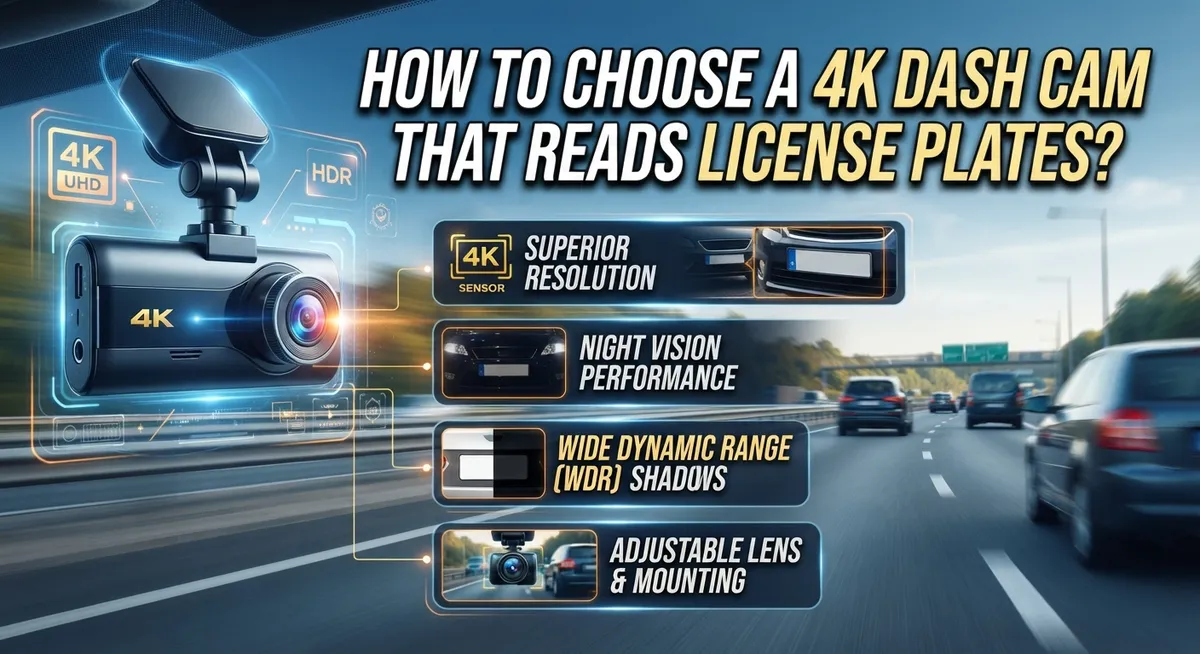
How to Choose a 4K Dash Cam That Reads License Plates?
Ever tried zooming into your dash cam footage after an accident, only to see a blurry smudge where the license plate should be? You’re not alone.
Many drivers assume that 4K resolution automatically means clear plate captures. But that’s not always true.
The truth is, reading license plates depends on more than just high resolution. Sensor quality, camera settings, and mounting angle all play a big role too.
Some 4K dash cams struggle with plate clarity, especially at night or in fast moving traffic. Others get it right by combining the correct sensor with smart exposure settings.
In this guide, we’ll break down what actually makes a dash cam good at capturing license plates. You’ll learn about key sensor technology, resolution requirements, and common mistakes people make when choosing a camera.
We’ll also cover simple tips to get sharper results, even with the gear you already own.
By the end, you’ll know exactly what to look for. No more guessing, no more blurry evidence when it matters most.
In a Nutshell
Here’s a quick recap before you go shopping for a new dash cam.
- Resolution alone won’t cut it. A 4K camera can still miss plate details without the right sensor and settings.
- Sensor quality matters most. Look for cameras using advanced sensors like the Sony STARVIS IMX678, known for sharp detail even in tricky light.
- 2K is often the practical minimum. Front cameras need at least 2K resolution for reliable plate capture. 1080p can work, but results vary.
- General dashcams and plate readers serve different goals. A camera great at wide scene coverage may struggle to zoom in on tiny plate text.
- Multi channel setups add flexibility. Front, rear, and side cameras each need their own settings to read plates clearly.
- Configuration beats hardware alone. Proper exposure, angle, and mounting often matter more than raw specs.
Keep these points in mind. They’ll help you avoid common traps and pick gear that actually delivers clear, usable footage when you need it most.
Why 4K Resolution Alone Doesn’t Guarantee License Plate Clarity
Many people buy a 4K dash cam expecting crystal clear license plates. This assumption often leads to disappointment. 4K resolution is just one piece of the puzzle.
Here’s why resolution alone falls short. A camera with high pixel count still needs proper sensor technology to capture fine details. The sensor determines how well your camera handles light, contrast, and small objects like text on plates. Two cameras with identical 4K resolution can perform very differently when reading plates.
Sensor quality matters far more than megapixels. Advanced sensors excel at capturing sharp details even in challenging lighting. They process light more efficiently, which means better performance during night driving or in shadows. A weaker sensor in a 4K camera produces grainy, unclear footage that’s useless for identifying plates.
There’s also a fundamental trade off in dash cam design. Cameras optimized for plate reading use narrow fields of view and specific angles. General purpose dash cams prioritize wide scene coverage instead. A camera great at capturing your entire surroundings may struggle to zoom in on distant plates.
Additionally, camera settings make a huge difference. Exposure, shutter speed, and focus settings directly impact plate clarity. A 4K camera with poor settings delivers blurry results. Proper configuration transforms even modest resolution into readable plates.
Finally, mounting angle and position affect what your camera captures. A poorly angled camera misses plates entirely, regardless of resolution. The camera needs a clear line of sight to approaching vehicles and their plates.
This is why specs alone don’t tell the full story. Resolution, sensor technology, design purpose, settings, and positioning all work together to determine plate readability.
Understanding Sensor Technology: The Role of Sony STARVIS Sensors
The sensor is the heart of license plate capture. It determines how your dash cam processes light and converts it into usable video data. Not all sensors perform equally when it comes to reading plates from moving vehicles.
Sony STARVIS technology stands out in the dash cam industry for this specific task. These sensors use a back-illuminated design that captures more light information than standard sensors. This matters because license plates often reflect light unpredictably. The sensor needs to handle that reflection while maintaining sharp detail.
The IMX678 sensor has become an industry benchmark. You’ll find it in several reputable dash cam models. It performs consistently across different lighting conditions. Daytime plate capture becomes easier. Night captures improve significantly compared to older sensor technology.
Here’s what makes STARVIS sensors different from regular ones. They have larger pixel wells that collect more photons. More light data means better color accuracy and contrast. License plates become easier to distinguish from their background.
The practical benefit is straightforward. A dash cam with a quality sensor reads plates at greater distances. It maintains clarity even when vehicles move at highway speeds. Poor lighting becomes less of a problem.
When you compare dash cams, check the sensor specifications. Not every model lists this information clearly. If a camera doesn’t mention its sensor type, that’s often a red flag. Quality manufacturers highlight their sensor choice because it matters for performance.
The relationship between sensor quality and plate readability is direct. A better sensor captures more usable information. Your dash cam then produces clearer footage. This is why sensor technology should rank high in your decision making process, sometimes even above resolution numbers.
Minimum Resolution Requirements for Front, Rear, and Side Cameras
Your front, rear, and side cameras each have different jobs. They need different resolution levels to read license plates effectively.
Front cameras need the most power. A minimum of 2K resolution works for plate capture in most situations. Many people think 4K is necessary, but 2K handles the task well when paired with the right sensor. Your front camera faces the most demanding conditions: moving vehicles, varying distances, and changing light. This is why it deserves your focus when choosing a system.
Rear cameras can work with less. 1080p resolution captures plates from vehicles behind you, though 2K gives you better clarity. Rear-facing cameras have an advantage because they record stationary or slowly moving vehicles. The angle and distance are more predictable than front-facing scenarios.
Side cameras operate differently. These cameras often capture vehicles passing beside you rather than head-on. A 1080p side camera can read plates in many cases, but 2K remains the safer choice for consistent results.
The key point is this: don’t assume all cameras need identical specs. A three channel setup doesn’t require the same resolution on every unit. Your budget matters here. You can invest more in your front camera while choosing practical options for rear and side positions.
Remember, resolution works with sensor quality. A 2K camera with an advanced sensor outperforms a 4K camera with basic technology. Check what sensor each camera uses, not just the megapixels. This combination determines whether you’ll actually read those plates when you need them.
The Trade-Off Between Plate-Reading Accuracy and General Dashcam Performance
Choosing a 4K dash cam for license plate reading means understanding a real tension in camera design. A camera optimized for plate capture often underperforms as a general dashcam, and vice versa.
Here’s why this matters. Plate reading cameras need a narrow field of view focused on distant objects. General dashcams need a wide field of view to capture everything around your vehicle. These goals conflict. A camera set up perfectly for reading plates 100 feet away might miss important details happening closer to your car.
Exposure settings create another trade-off. Plate reading requires specific exposure configurations that prioritize distant license plates over nearby road conditions. This can leave your dashcam footage looking overexposed or underexposed for everyday driving scenarios.
The sensor technology compounds this issue. Advanced sensors built for plate capture excel at that specific task but may not deliver the color accuracy and dynamic range you want for general video. You’re essentially choosing between two different types of performance.
Multi-channel systems help solve this problem. A three or four camera setup lets you dedicate one camera to plate reading while others handle general recording. Your front camera focuses on plates. Your rear camera captures following vehicles. Side cameras watch adjacent lanes. Each camera can use settings optimized for its specific job.
This is why comparing spec sheets alone misleads you. Two dashcams with identical 4K resolution can perform completely differently depending on their design priorities. One excels at plates but shows poor daytime color. The other captures beautiful driving footage but struggles with distant plates.
The best choice depends on your actual needs. Do you need plate reading as your primary goal, or is it secondary to general recording quality? Your answer determines which trade-offs matter most.
Step-by-Step: Evaluating a Dash Cam’s Plate-Reading Capability
When evaluating a dash cam’s plate reading ability, you need to check several specific factors beyond just the resolution number on the box.
Start by examining the sensor model. Look for documentation that lists the exact sensor used. Sony STARVIS technology, particularly the IMX678, performs well for capturing readable plates. This information usually appears in technical specifications or detailed product documentation. If the manufacturer doesn’t list the sensor clearly, that’s a red flag.
Next, verify the actual resolution of each camera in your system. Don’t assume all channels match. Your front camera should handle at least 2K resolution for reliable plate capture. Check whether your rear camera meets minimum specs too. Many systems use different resolutions for different angles, and that’s normal.
Pay close attention to the field of view specification. A camera with excellent sensors but poor angle positioning won’t capture plates effectively. You want a FOV that captures vehicles ahead or behind without excessive distortion. Wide angle lenses sometimes create problems for plate recognition.
Look for adjustable exposure and white balance settings. These manual controls let you optimize for nighttime plate capture specifically. A camera locked into automatic exposure might overexpose bright plates or underexpose dark ones.
Read user reports about real world performance, not just marketing claims. People share actual dashcam footage online showing whether plates appear readable in different lighting conditions.
Finally, check if the manufacturer provides sample footage or test videos. Legitimate companies often publish examples showing their plate reading results during day and night driving. This shows you exactly what to expect before purchasing.
Optimizing Camera Settings, Exposure, and Mounting Angle for Best Results
Your camera settings matter more than you think. A 4K sensor captures more data, but poor exposure ruins plate readability instantly. You need to adjust your dash cam’s settings before mounting it in your vehicle.
Start with exposure compensation. Most dash cams default to balanced exposure for general driving scenes. This doesn’t work for plate capture. Lower your exposure slightly so bright license plates don’t wash out into white blurs. Test this in daylight first. You want the plate characters sharp and dark against the background.
White balance is your next priority. Automatic white balance can shift colors unpredictably, especially under streetlights or at dusk. Lock your white balance to a fixed setting like daylight or tungsten mode. This keeps plate text consistent and readable across different lighting conditions.
Check your frame rate settings too. Most 4K dash cams offer 24fps or 30fps options. Choose 30fps for plate capture. Higher frame rates actually reduce light sensitivity, making plates harder to read in low light situations.
Dynamic range settings deserve attention as well. Some cameras offer HDR or wide dynamic range modes. Enable these features to preserve detail in both bright and dark areas simultaneously. This prevents plates from disappearing into shadows or glare.
Finally, disable any aggressive noise reduction features. These settings smooth out image details, which destroys the fine lines that make plate characters readable. Slight noise in your footage is better than blurry, unreadable characters.
Test all these adjustments before permanent installation. Record sample footage at different times of day. Review the clips to confirm plates remain legible. Proper settings transform average hardware into reliable plate capture equipment.
Common Mistakes That Ruin License Plate Capture
Many people buy a 4K dash cam expecting it to automatically read license plates. This is the biggest mistake. 4K resolution alone does not guarantee plate capture. You need the right sensor technology working together with that resolution. A camera with a mediocre sensor and 4K will fail. A camera with an excellent sensor and 2K will succeed.
Another common error is ignoring camera settings. You receive your dash cam, mount it, and press record. This approach produces poor results. Exposure settings are critical. If your camera overexposes bright scenes, license plates become white blurs. If it underexposes dark scenes, plates disappear into shadows. You must adjust these settings before installation.
Mounting angle ruins many license plate captures. People position cameras to see the road ahead clearly. This angle works poorly for reading plates on vehicles passing beside or ahead of you. The camera needs to point slightly downward to catch plates head on. A side camera requires a different angle than a front camera.
Field of view causes problems too. Wide angle lenses capture more road but compress distant details. License plates become tiny and unreadable. Narrower fields of view magnify distant plates but show less of your surroundings.
Poor focus distance settings create another issue. Some cameras focus on objects 10 feet away. This leaves plates at 30 feet blurry. You need to adjust focus distance to match your typical driving conditions.
Finally, people disable important features. Aggressive noise reduction and compression destroy fine details like license plate numbers. Keeping these features enabled often helps more than disabling them.
Success requires understanding these mistakes before you buy.
Troubleshooting Blurry or Unreadable Plate Footage
Blurry or unreadable plate footage usually comes from a few specific issues you can fix. The most common problem is incorrect exposure settings. Your camera might be overexposing bright conditions or underexposing dark scenes, making plates wash out or disappear into shadows.
Start by checking your camera’s exposure compensation feature. If plates look too bright during daytime, reduce exposure by one to two stops. If they’re too dark at night, increase it slightly. This single adjustment fixes many cases of unreadable footage.
White balance settings also cause plate readability problems. Artificial street lighting creates color casts that distort plate text. Your camera should have an auto white balance mode, but manual adjustment often works better. Try setting it to match your typical driving conditions rather than leaving it on automatic.
Focus distance is another culprit. Many dash cams focus at infinity for general driving footage, but this actually softens close objects like license plates. Check if your camera lets you adjust focus distance or set it to a closer range. Some models let you switch between modes.
Frame rate affects clarity too. Higher frame rates capture more detail but use more processing power. Lower frame rates sometimes sacrifice sharpness. Test both 30fps and 60fps in your specific lighting conditions.
Finally, check your noise reduction settings. Aggressive noise reduction smooths out fine details like plate characters. Disable or reduce this feature if your camera allows it.
Before permanent installation, record test footage in your typical driving scenarios. Review clips at full resolution on your computer. This reveals problems you might miss on the camera’s small screen. Make adjustments based on real results, not just settings menus.
Final Thoughts
Choosing a 4K dash cam for license plate reading takes more than picking a high resolution number. You need to check the sensor type first. The Sony STARVIS IMX678 remains a strong choice for plate capture.
Remember that resolution alone does not guarantee results. A 2K camera with the right sensor often beats a poorly configured 4K unit. Focus on sensor quality and settings together.
Think about your main goal before buying. Some cameras excel at general recording but struggle with plate details. Others capture plates well but sacrifice wide angle coverage.
You must decide what matters most for your situation. Multi-channel systems give you flexibility here. Front, rear, and side cameras each serve different purposes.
Testing before permanent installation saves you frustration later. Record footage in your typical driving conditions first. Check plate readability at different speeds and lighting levels.
Adjust settings based on what you see. Small changes in exposure or angle make big differences. Don’t skip this crucial step.
Budget matters too, but cheaper doesn’t always mean worse performance. Some affordable options outperform expensive ones in daylight conditions. Research real user experiences, not just spec sheets.
Manufacturer sample footage helps you set expectations. Watch these videos on different screen sizes. What looks clear on a phone might blur on a larger display.
Your specific needs should guide your final decision. Commuters need different features than delivery drivers. Rural drivers face different lighting than city dwellers.
Take time to match camera capabilities with your actual driving patterns. This approach beats chasing the highest resolution number available. A well configured 2K system often outperforms a poorly set up 4K one.
Success comes from understanding these tradeoffs clearly.
Frequently Asked Questions
Does 4K resolution guarantee license plate readability?
No. 4K alone does not guarantee readable plates. You need specific sensor technology combined with proper settings. A 2K camera with the right sensor often outperforms a 4K camera with poor optics or wrong configuration. The sensor type matters more than megapixels.
What sensor should I look for in a dash cam?
The Sony STARVIS IMX678 sensor is the industry standard for plate capture. This sensor excels at low light conditions and detail preservation. Look for cameras that list their sensor specs clearly. Many brands use this technology because it performs well in real world driving situations.
Can I use one camera for both general driving footage and plate reading?
This is difficult. Cameras optimized for plate reading use narrow fields of view and specific angles. General dashcams use wider angles for situational awareness. You sacrifice one function to gain the other. Many people choose multi channel systems with dedicated front and rear cameras to solve this problem.
What’s the minimum resolution needed to read plates?
2K resolution works well for front camera plate capture. 1080p is possible but limited, especially at night or distance. Higher resolution helps, but it’s not the only factor. Sensor quality and proper camera settings matter equally.
Should I choose a single camera or multi channel system?
Single cameras are simpler and cheaper. Multi channel systems let you capture front, rear, and side angles simultaneously. For plate reading specifically, a multi channel setup gives you better coverage of vehicles around you. Your budget and parking situation should guide this choice.

Philips is the founder and lead writer at GearheadGarageFinds.com, a passionate automobile enthusiast who has spent years testing, comparing, and reviewing auto products and accessories to help fellow gearheads make smarter buying decisions. When he’s not under the hood or behind the keyboard, you’ll find him exploring the latest automotive innovations and hunting for the best garage finds on the market.