How to Set Up Wireless Charging in Your Vehicle?
Tired of tangled charging cables in your car? Wireless charging can solve that problem fast.
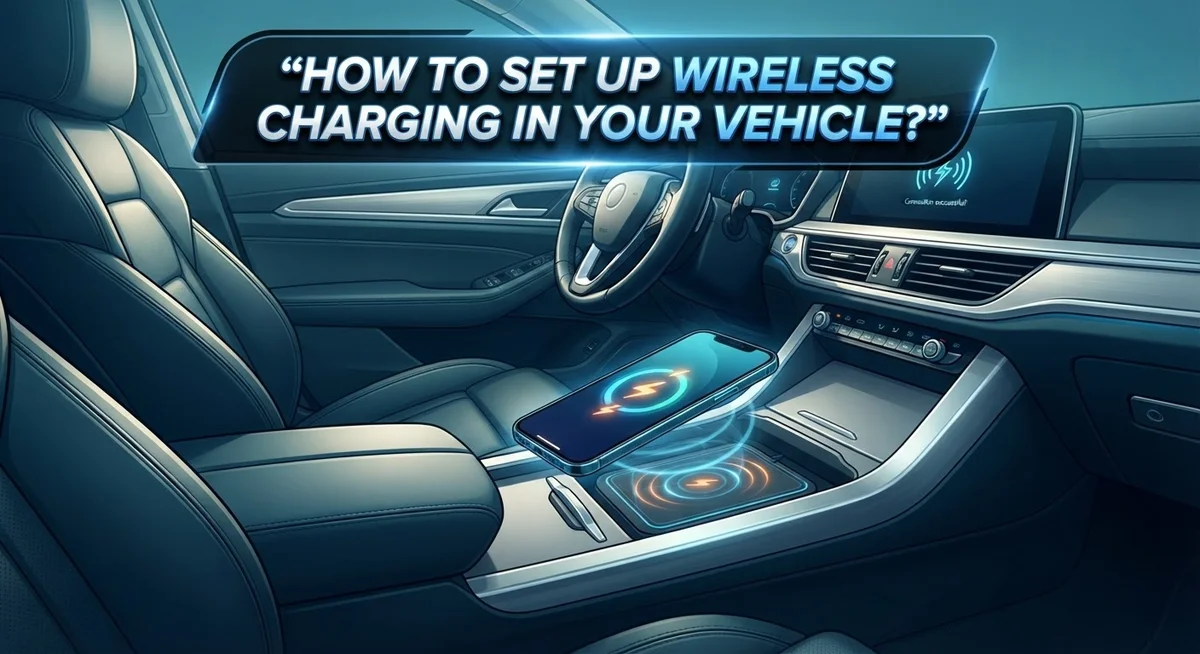
Wireless vehicle charging lets your phone power up without any cords. You simply place your phone on a charging pad, and it starts charging right away.
This technology works through built-in or aftermarket pads. These pads use a charging coil to send power to compatible phones. No plugging or unplugging is needed once everything is set up.
Setting up wireless charging in your vehicle is simpler than most people think. You just need the right steps and a bit of know how.
In this guide, we will walk you through the entire setup process. You will learn how to mount your charger, connect it to power, and position your phone correctly.
We will also cover common mistakes people make. Things like leaving objects on the pad or misaligning your phone can stop charging from working.
By the end of this article, you will know exactly how to enjoy cable free charging every time you drive. Let us get started on making your car charging experience easier and more convenient.
In a Nutshell
Setting up wireless charging in your car is a quick process. Here is a simple breakdown to keep handy.
-
Check phone compatibility first. Most modern smartphones support wireless charging out of the box.
-
Mount the charging pad to your dashboard or console. Make sure it sits firm and does not wobble.
-
Connect the charger to power. Aftermarket pads need a cable linked to your vehicle’s power outlet.
-
Turn on your vehicle or switch it to Accessory mode. This gives the pad the power it needs.
-
Place your phone face up on the coil symbol. The phone must sit fully on the pad for charging to start.
-
Avoid common mistakes. Do not leave objects on the pad. Keep your phone aligned properly with the coil.
Once everything is set, charging happens automatically. You will not need to touch anything else. Just place your phone and drive. Secure mounting and proper alignment make all the difference for smooth, cable free charging every single time.
How Wireless Vehicle Charging Works
Wireless vehicle charging works through electromagnetic energy transfer between two coils. One coil sits inside your charging pad, while the other lives in your phone. When you place your phone on the pad, these coils align and create a magnetic field that transfers power.
Your phone’s coil receives this energy and converts it into electrical current. This current then charges your phone’s battery just like a traditional charger would. The process happens automatically once proper alignment occurs.
The charging pad itself needs a power source to function. This is why you must connect it to your vehicle’s power outlet or USB port using the provided cable. Without this connection, the pad cannot generate the electromagnetic field needed for charging.
Alignment is absolutely critical for charging to work properly. Your phone must sit directly on top of the coil symbol marked on the pad. Most phones have their charging coil positioned in the center or upper back area, so placement matters significantly.
Modern smartphones typically have wireless charging built into their design. The technology has become standard on most current models. Your phone’s case can affect charging too, though many cases remain compatible with wireless chargers.
Temperature plays an important role in wireless charging performance. The coils generate heat during energy transfer. Most systems have safety features that slow charging if temperatures get too high, protecting your phone’s battery.
The distance between coils also impacts charging speed and efficiency. Thicker phone cases or protective covers can increase this distance slightly. This is why proper alignment on the pad matters more than with wired chargers.
Power loss occurs naturally during wireless charging compared to wired methods. The electromagnetic transfer is less efficient than direct electrical connections. However, the convenience factor makes this tradeoff worthwhile for most drivers.
Your vehicle’s power system must stay on or in Accessory mode for charging to continue. Once your phone reaches full battery capacity, most pads stop transferring power automatically. This protects both your phone and the charging system from overcharging damage.
Checking Phone and Case Compatibility
Before you install a wireless charging pad in your vehicle, you need to confirm your phone can actually use this technology. Not every smartphone has wireless charging capability built in. Check your phone’s specifications or user manual to see if it supports wireless charging. Most modern flagship phones do have this feature, but budget models sometimes don’t.
Once you know your phone is compatible, test it at home first. Place your phone on a wireless charger to see if it charges. If nothing happens, your phone lacks this capability. If it works, you’re ready for the next step.
Now consider your phone’s case. Many protective cases block wireless charging signals completely. Thick cases, metal cases, or cases with metal components prevent power transfer between the pad and your phone’s coil. You’ll need to remove your case or switch to a wireless charging compatible case before driving.
Check what your case is made from. Silicone, rubber, and thin plastic cases usually work fine. Leather cases often work too. Metal cases, cases with card slots, or cases with magnetic attachments typically don’t work. Test your current case on a home charger to be sure.
Some people don’t realize they need to remove their case for wireless charging to work. This is a common mistake that causes frustration. You might think the charger is broken when it’s actually just blocked by your case.
If you love your current case, look for alternatives designed specifically for wireless charging. These cases use materials that don’t interfere with the charging coils. They’re widely available and work well.
Verify compatibility before purchasing any vehicle charging pad. Check both your phone model and your case material. This simple step prevents buyer’s remorse and installation problems later. Once you confirm everything works together, you can proceed with confidence to mount your charger safely in your vehicle.
Step-by-Step Setup Instructions
Start by turning your vehicle on or switching it to Accessory mode. This step ensures your power outlet has electricity flowing to it. Most vehicles have 12V outlets in the dashboard or console area.
Next, choose where you want to mount your charging pad. The dashboard works well for easy phone access. The center console is another popular spot. Pick a location that keeps your phone at eye level or slightly below. This setup helps you see your screen while driving safely.
Use the mounting bracket that comes with your charger. Secure it firmly to prevent the pad from shifting during turns or sudden stops. A loose charger creates safety hazards and poor charging contact. Make sure the mount is stable before moving forward.
Connect the charging cable to your vehicle’s power outlet using the provided cord. The charger itself needs this power connection to function. The cable should reach comfortably from your power source to the mounted pad. Avoid running cables across areas where they might get pinched or damaged.
Remove any objects sitting on the charging pad. Coins, receipts, or other items block the electromagnetic connection. Your phone needs direct contact with the pad’s surface. Even small obstacles prevent charging from starting.
Now you’re ready to use it. Place your phone face up on the coil charging symbol. Most pads have a visible mark showing the exact coil location. Your phone must sit fully on the pad, not partially hanging off the edge. Once positioned correctly, charging begins automatically without any buttons to press.
Let your phone rest undisturbed on the pad while you drive. Avoid moving it around or lifting it repeatedly. Each time you reposition it, the charging connection resets. Keep the area clear of debris and clutter. Your phone will charge steadily throughout your trip. Check your phone’s battery indicator to confirm charging is active.
Properly Positioning Your Phone for Charging
Proper phone positioning is absolutely essential for wireless charging to work in your vehicle. Your phone must sit directly on top of the charging coil. Most pads have a small symbol showing exactly where this coil sits. Place your phone face up with this symbol aligned perfectly with the coil underneath.
The phone needs to rest fully on the charging pad surface. Even partial contact won’t deliver reliable charging. Make sure no part of your phone hangs off the edge. This complete contact allows the electromagnetic energy to transfer properly between the two coils.
Check that your phone sits flat and level on the pad. Tilted or angled positioning breaks the connection. Your phone should feel stable and secure without rocking or shifting. If your pad has a slight depression or lip, this helps keep your phone centered automatically.
Remove anything between your phone and the pad. Coins, keys, or metal objects block the charging signal completely. Even thick dust buildup can interfere with power transfer. Wipe the pad clean before placing your phone down.
Consider your phone’s case thickness carefully. Thin cases usually work fine with wireless charging. Thicker cases or metal reinforced cases may prevent charging from starting. Test your phone with its case at home before relying on vehicle charging during drives.
Position your phone so you can still see your screen safely while driving. You shouldn’t need to reach far or look away from the road. Many people place their phone in landscape orientation for easier viewing.
Leave your phone undisturbed once it’s positioned. Movement or constant repositioning interrupts the charging cycle. Avoid picking up your phone repeatedly during your trip. Let it sit on the pad for the entire journey when possible.
Some vehicles have built in charging pads that are already optimally positioned. Aftermarket pads give you flexibility to choose your preferred location. Either way, consistent proper positioning ensures your phone charges reliably every time you drive.
Common Setup Mistakes to Avoid
Setting up wireless charging in your vehicle is straightforward, but a few common mistakes can prevent it from working properly. Knowing what to avoid saves you time and frustration.
Leaving objects on the charging pad is the most frequent error people make. Even small items like coins, keys, or receipts block the charging coil. The pad cannot send power through these obstructions to your phone. Always keep the pad completely clear before placing your phone down.
Improper phone alignment causes many charging failures. Your phone must sit directly over the coil’s charging symbol. If your device rests even slightly off center, the coil cannot detect it. Take a moment to position your phone carefully each time you place it on the pad. The charging should start within a few seconds of proper placement.
Not positioning your phone fully on the pad is another common issue. Your entire phone needs contact with the charging surface. If any part hangs over the edge, charging may not activate. Some people rest their phones partially on the pad while reaching for other items. This partial contact breaks the charging connection immediately.
Forgetting to power the charger itself creates confusion. The charging pad needs a power connection to your vehicle’s outlet or power source. Simply mounting the pad without connecting its cable means nothing happens when you place your phone on it. Always verify the charger has power before assuming it’s broken.
Using incompatible cases or thick protective covers blocks wireless charging signals. Metal cases, thick rubber, or certain materials prevent power transfer. Test your specific phone and case combination at home first. This prevents disappointment when you’re on the road.
Shifting or repositioning your phone constantly interrupts charging cycles. Once your phone is properly placed, leave it undisturbed. Movement restarts the detection process and slows charging speed significantly.
Ignoring phone compatibility wastes your effort entirely. Not all phones support wireless charging. Check your phone’s specifications before purchasing any vehicle charger. This simple step prevents buying equipment that won’t work with your device.
Tips for Reliable Everyday Charging
Reliable everyday charging depends on consistent habits and simple maintenance. Your wireless charging system works best when you follow a few practical steps each time you use it.
Start by keeping your charging pad clean and free from dust. Wipe the surface with a soft, dry cloth every few days. Dirt and debris block the charging signal between your phone and the pad, so this small step makes a big difference.
Position your phone the same way every time you drive. This consistency helps you quickly place your device without thinking about it. Your phone should sit centered on the pad with the charging coil aligned properly. Most phones have a small symbol on the back showing where the coil is located.
Check your phone’s battery level before longer trips. Wireless charging works at a steady pace, so it may not fully charge during a short drive. If you need more power quickly, plug in a traditional cable instead.
Keep your phone in a compatible case. Thin cases work fine with wireless charging, but avoid thick protective covers or metal cases. Metal blocks the charging signal completely. If you switch cases often, test each one to confirm it allows charging.
Monitor your phone’s temperature while charging. Wireless charging generates slight heat, which is normal. If your phone feels hot to the touch, remove it from the pad and let it cool down for a few minutes.
Avoid placing objects on the pad when you’re not charging. Coins, keys, or other metal items can damage the charger or prevent it from working. Keep the area around your charging pad clear at all times.
Secure your mounting bracket firmly so the pad doesn’t shift during driving. A loose charger moves around and loses contact with your phone. Check the mount weekly to ensure it stays tight and stable.
These simple habits keep your wireless charging working smoothly every single day.
Final Thoughts
Setting up wireless charging in your vehicle does not have to feel complicated. Once you understand the basic steps, you can get your phone charging in minutes.
The process comes down to three things. Mount your charger properly. Connect it to power. Place your phone correctly on the pad.
Many drivers give up too soon when charging does not work right away. Usually, the fix is simple. Check your phone position, remove any objects, and confirm the charger has power.
Compatibility matters just as much as setup. Your phone needs wireless charging built in. Your case should be thin enough to let the charging signal pass through. These two factors solve most charging problems before they start.
Think about your daily routine too. A charger that works but sits in an awkward spot will not help you much. Choose a mount position that keeps your phone visible and easy to reach.
Small adjustments make a big difference. Moving your pad slightly, cleaning the surface, or repositioning your phone can turn a weak connection into a strong one.
Wireless charging in your car saves you from cable clutter and tangled cords. It also means one less thing to think about during your commute or road trip.
Patience helps during your first few tries. You might need to test different phone positions before you find the exact spot that works best for your device.
Once you get everything set up correctly, charging becomes automatic. You place your phone, and it starts charging without any extra effort on your part.
Remember that every vehicle setup looks a little different. Built in pads work differently than aftermarket ones. Take time to understand your specific system.
With the right mount, proper power connection, and correct phone placement, you will enjoy dependable wireless charging every time you drive. This small upgrade makes your daily drive smoother and keeps your phone ready whenever you need it.
Frequently Asked Questions
Can I use wireless charging with a thick phone case?
Most wireless chargers work fine with thin cases. Thick protective covers can block the charging signal and prevent your phone from charging properly. Check your case thickness before placing your phone on the pad.
Thin cases under 3mm usually work well. If your case is very thick, you may need to remove it during charging or switch to a thinner option.
Do I need to turn my vehicle on to charge wirelessly?
Your vehicle needs to be in Accessory mode or fully on for the charger to receive power. The charger itself requires electricity from your vehicle’s power outlet to function.
Your phone does not need the vehicle running. Once the charger has power, it will charge your phone even if the engine is off. Just make sure your vehicle’s battery stays healthy.
Why isn’t my phone charging on the pad?
Several things could cause this issue. Your phone might not be positioned correctly on the coil. Objects like coins, keys, or metal debris could block the signal.
Check that your phone has wireless charging capability first. Not all phones support this feature. Make sure your phone sits fully on the pad with the coil symbol facing down. Remove any items from the pad and clean the surface.
How long does wireless charging take in a car?
Charging speed depends on your phone model and charger power output. Most phones charge at a similar speed whether using wireless or cable charging.
Expect 2 to 4 hours for a full charge. Shorter trips may only give you a partial charge. Keep your phone on the pad for the entire drive to maximize charging time.

Philips is the founder and lead writer at GearheadGarageFinds.com, a passionate automobile enthusiast who has spent years testing, comparing, and reviewing auto products and accessories to help fellow gearheads make smarter buying decisions. When he’s not under the hood or behind the keyboard, you’ll find him exploring the latest automotive innovations and hunting for the best garage finds on the market.