How to Reset an Electric Bike Battery: Step-by-Step Guide
Does your electric bike battery show a wrong charge level? Does it lose power out of nowhere? You are not alone.
Many e-bike riders face these annoying issues. The good news is that a simple reset often fixes the problem fast.
Resetting your e-bike battery clears false readings. It also solves sudden power loss and charging failures. This happens because the battery management system, or BMS, sometimes needs a fresh start.
This guide will show you exactly how to do it. We will walk you through each step, from powering off your bike to letting the battery rest.
You will learn where to find the reset button on most models. We will also share tips on using a multimeter to check voltage.
Plus, we cover common mistakes you must avoid. Things like using the wrong charger or opening the battery pack can cause serious damage.
By the end of this article, you will know how to safely reset your battery. You will get your bike back on the road with confidence and accurate power readings.
In a Nutshell
Here is a quick summary to help you reset your e-bike battery safely.
-
Power off your bike completely first. Then disconnect the battery from the frame. This stops any electrical flow during the reset process.
-
Hold the power button for 10 to 15 seconds. Wait until the lights flash or cycle. This clears the battery management system fault.
-
Let the battery rest unplugged for 10 to 30 minutes. This resting period helps the system fully clear old data. Patience here makes a real difference.
-
Reconnect and test ride your bike after the rest period. Check if the power and readings look normal. A short ride confirms everything works well.
-
Avoid risky actions like opening the battery pack or using the wrong charger. Never try to jump-start or bypass the BMS. These mistakes can damage your battery permanently.
-
Use a multimeter if problems continue after your reset. This tool checks the actual voltage level. It helps you know if the battery is truly healthy.
What Does Resetting an E-Bike Battery Actually Do?
Your e-bike battery has a smart system inside called the battery management system, or BMS. This system watches your battery’s health and power levels all day long.
When you reset your battery, you tell the BMS to start fresh. It clears any false information it collected. Think of it like rebooting your computer when something stops working right.
A reset fixes several real problems. Your battery might show 50% charge when it is actually full. The motor could cut out suddenly during your ride. Your charger might refuse to work even though the battery is not dead. These issues happen when the BMS gets confused or stores bad data.
The reset process wakes up your battery’s internal computer. It recalibrates the sensors that measure voltage and current. This helps the BMS learn the true state of your battery again. After the reset, your charge readings become accurate once more.
Your battery also needs a rest period. After you press the power button and see the lights flash, leave the battery unplugged for 10 to 30 minutes. This waiting time lets the BMS reset its memory completely. Do not skip this step because it is crucial for success.
A reset does not fix every problem though. If your battery will not hold a charge at all, a reset cannot help. If the battery pack is physically damaged, resetting will not repair it. A reset works best for software glitches, not hardware failures.
The good news is that resetting is safe. You do not open anything or use tools. You simply disconnect the battery and press a button. This means you can try a reset without any risk to your e-bike.
Signs Your E-Bike Battery Needs a Reset
Your e-bike battery sends you signals when something goes wrong. Learning to spot these signs helps you know when a reset will help.
The most common sign is an incorrect charge reading. You plug in your battery overnight and it shows 100%. After a short ride, the display suddenly drops to 20%. This jump does not match real battery use. Your battery management system lost track of the actual charge level.
Sudden power loss is another red flag. You are riding along and your motor cuts out completely. You check the display and it shows plenty of charge remaining. This happens when the BMS gets confused about available power. A reset clears this confusion.
Charging problems also signal a reset is needed. Your charger stays red even after hours of charging. The battery never reaches full capacity. Sometimes the charger refuses to work at all. These issues often point to BMS errors rather than physical damage.
Look for display screen glitches too. The screen flickers on and off. Numbers jump around randomly. The percentage symbol disappears or freezes in place. These signs show your battery’s internal computer needs to restart.
Pay attention to unusual heat or strange sounds. If your battery feels warm during charging or makes clicking noises, stop using it immediately. However, mild warmth during a ride is normal.
Motor response problems matter as well. Your pedal assist feels weak or unresponsive. The throttle does not work smoothly. Power delivery feels jerky or delayed. These symptoms suggest the motor controller needs a fresh start.
One more important sign is complete failure to power on. You press the button and nothing happens. No lights appear. No sounds occur. A reset often brings your battery back to life.
Most of these issues respond well to a simple reset. Your battery management system just needs to restart and recalibrate itself.
Step-by-Step Guide to Resetting Your E-Bike Battery
A battery reset clears errors in your e-bike’s internal computer system. Your battery contains a smart management system that tracks charge levels, power output, and safety functions. Over time, this system can develop glitches that cause false readings or performance drops.
When you reset the battery, you’re essentially telling this system to recalibrate itself. The process refreshes the battery’s memory and clears stored error codes. This is why a reset often fixes problems that seem serious but aren’t actually hardware failures.
Common issues that a reset solves include incorrect percentage displays. Your battery might show 30% charge when it’s actually 80% full. A reset recalibrates the fuel gauge so you get accurate readings again. This helps you plan rides properly without unexpected power loss.
Another benefit is restoring proper power delivery. Sometimes your motor feels weak or cuts out randomly even though the battery has charge. A reset resets the communication between your battery and motor controller. Once they talk correctly again, your bike performs normally.
Charging problems also improve after a reset. Your charger might stay red for hours without actually charging the battery. The BMS may be blocking charge flow due to a false error code. A reset clears these blocks so charging resumes properly.
The reset process is completely safe for your battery. You don’t open anything or risk damaging internal components. You’re simply power cycling the system, which is the same technology used in phones and computers. Your battery’s lifespan won’t decrease from resetting.
However, a reset won’t fix physical damage, worn cells, or manufacturing defects. If problems persist after resetting, your battery may need professional inspection or replacement. But most electrical glitches disappear after one simple reset cycle.
How to Locate the Reset Button on Different Battery Models
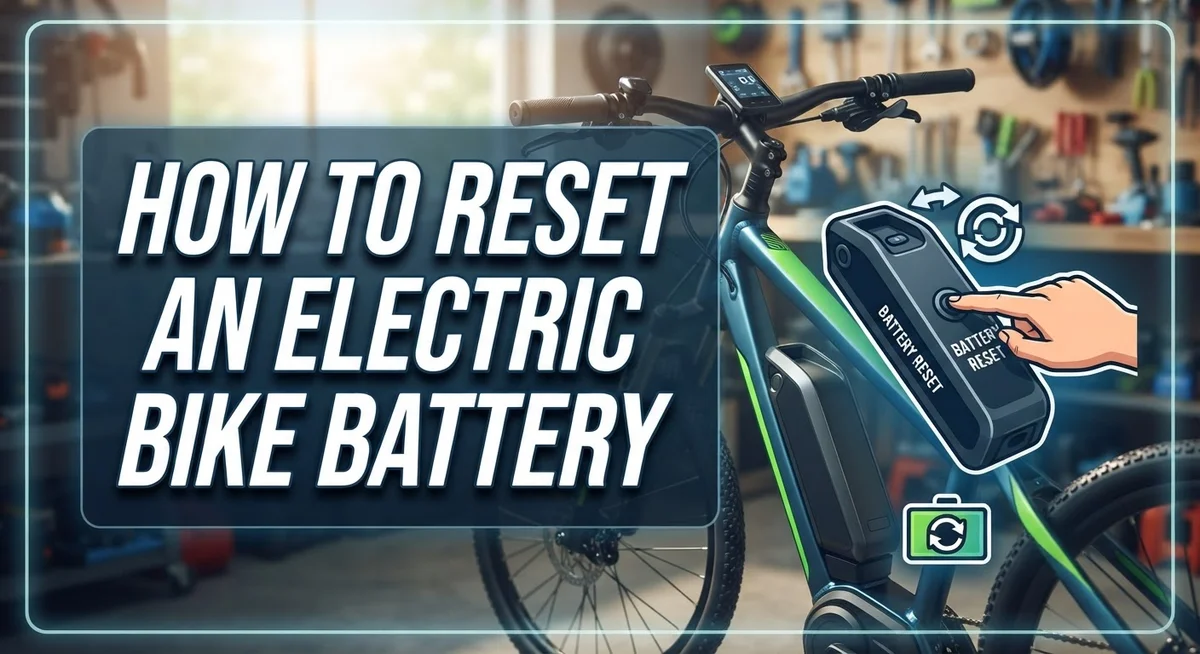
Finding the reset button on your e-bike battery depends on your specific model. Most manufacturers place it in one of two locations: near the LED charge gauge or close to the charging port.
Start by examining the battery’s exterior carefully. Look for a small, recessed button that is often labeled “Reset” or “R.” This button is usually smaller than the power button and requires a firm press. On many models, you will find it on the side or bottom of the battery pack.
Check your manufacturer’s manual first. The instructions will show you exactly where the reset button sits on your particular battery. If you don’t have the manual, visit the manufacturer’s website and download it. Most companies offer free PDF guides that include detailed diagrams.
Some batteries use a different approach altogether. Instead of a dedicated reset button, you might need to hold down the power button for 10 to 15 seconds. The lights will flash or cycle when the reset begins. This method works just as well as a physical reset button.
If you still cannot locate the button, look at the battery from different angles. The reset button might be on the underside or tucked into a corner. Use a flashlight to see small details more clearly. Some batteries have the button positioned where it won’t accidentally press during normal use.
Contact your battery manufacturer’s customer service if you remain unsure. Provide them with your battery model number, and they will guide you to the exact location. You can usually find the model number printed on a label attached to the battery itself.
Once you locate the button, you are ready to perform the actual reset. The process is straightforward and takes only a few minutes of your time.
Tips for a Successful Battery Reset
A successful battery reset requires you to follow a few practical steps that protect your battery while clearing errors. Start by powering off your e-bike completely. This stops all electrical activity and prepares the system for a fresh start.
Next, disconnect the battery from your bike frame. This physical separation is important because it fully isolates the battery management system. Hold the power button for 10 to 15 seconds until you see the LED lights flash or cycle through colors. This action signals the internal computer to clear stored errors.
After pressing the button, let your battery rest unplugged for 10 to 30 minutes. This waiting period allows the system to fully discharge any remaining power and reset completely. Don’t skip this step, as it ensures the reset actually takes effect.
Once the rest period ends, reconnect your battery to the bike and power it on normally. Take a test ride to verify the reset worked. Check if your display now shows accurate charge readings and if power delivery feels smooth again.
Use your manufacturer’s guidelines for your specific model. Different batteries have slightly different reset procedures, and following the correct steps matters. Some batteries have reset buttons near the LED gauge, while others place them by the charging port.
If problems persist after resetting, use a multimeter to check the battery’s voltage. Low voltage readings suggest deeper issues that a reset cannot fix. In these cases, contact your battery manufacturer for additional support.
Keep your battery in a cool, dry location during the reset process. Avoid extreme temperatures, as they interfere with the system’s ability to recalibrate properly. Never attempt to open the battery pack or bypass the battery management system, as this creates safety hazards and voids warranties.
Common Mistakes to Avoid When Resetting Your Battery
Using an incompatible charger is one of the biggest mistakes you can make. Your battery’s charging system expects specific voltage and current levels. A wrong charger can damage your BMS or prevent proper charging altogether.
Never try to jump start your battery or bypass the BMS. This safety system protects your battery from overcharging and overheating. Bypassing it puts your entire e-bike at risk and can cause fires or explosions.
Opening your battery pack is extremely dangerous. The internal cells contain high voltage and can cause serious injury. Even small damage inside can create short circuits. Always keep your battery sealed unless you’re a trained technician.
Deep discharges harm your battery’s lifespan significantly. Avoid letting your battery drain completely to zero percent. This stresses the internal cells and reduces how many charge cycles you get. Recharge when you reach about 20 percent remaining.
Wrong charging environments cause real problems too. Don’t charge in extremely hot or cold conditions. Your battery works best between 50 and 85 degrees Fahrenheit. Charging in freezing weather or direct sunlight can trigger safety shutdowns or permanent damage.
Pressing the reset button too many times in quick succession creates confusion in your system. One reset is enough. Wait for the full rest period before trying again if it doesn’t work the first time.
Don’t ignore warning signs from your charger. If the LED stays red for several hours without changing, stop charging immediately. Continuing can damage your battery or the charging port.
Finally, avoid resetting your battery constantly for minor issues. A reset should only happen when you notice actual problems like wrong percentage readings or power delivery issues. Frequent resets aren’t necessary and won’t improve performance.
Troubleshooting: When a Reset Doesn’t Solve the Problem
Sometimes your e-bike battery still acts up even after you complete a full reset. This happens more often than you might think, and it doesn’t mean your battery is broken.
First, check your voltage with a multimeter. This simple tool tells you if your battery actually holds a charge. If the voltage reads significantly lower than it should, your battery may have an internal problem that a reset cannot fix. A healthy battery shows consistent voltage readings across multiple tests.
Next, examine your charger carefully. An incompatible or faulty charger causes charging failures that look like battery problems. Try using a different charger if you have access to one. If your battery charges properly with another charger, your original charger needs replacement.
Inspect all connection points between your battery and bike frame. Dirt, corrosion, or loose contacts prevent power from flowing correctly. Clean these metal connectors gently with a dry cloth. Loose connections sometimes create the exact same symptoms as a failed reset.
Consider the age of your battery. Older batteries lose their ability to hold charges naturally over time. If your battery is several years old and shows weak performance after a reset, it may simply be reaching the end of its lifespan.
Test your battery on a short ride after resetting it. Pay attention to how long it lasts and whether power delivery feels normal. Unusual behavior during riding often points to specific problems that resets don’t address.
If these steps don’t solve your issue, contact your battery manufacturer’s customer service. Provide them with your voltage readings and describe exactly what happens during use. They can determine if your battery needs professional repair or replacement. Many manufacturers offer warranty coverage for batteries with genuine defects, so keep your purchase documentation handy.
Final Thoughts
Resetting an electric bike battery is a simple process. It solves many common problems you face with your e-bike.
Power cycling clears confused readings from your battery management system. This fixes false percentage displays and sudden power loss issues.
You now know the exact steps to follow. Power off your bike, disconnect the battery, and press the power button for 10 to 15 seconds.
Let the battery rest for up to 30 minutes. This gives the system time to clear old data completely.
Patience matters during this process. Rushing through steps often leads to incomplete resets that don’t fix your problem.
Always avoid the common mistakes we covered. Skip incompatible chargers and never try to bypass your BMS safety system.
These shortcuts seem helpful but actually damage your battery. They also void warranties on most e-bike models.
If a reset doesn’t work, don’t panic. Check your voltage with a multimeter first.
Older batteries naturally lose capacity over time. This is normal wear, not a reset failure.
Sometimes your charger causes problems that look like battery issues. Testing with a different compatible charger helps you identify the real problem.
Regular resets keep your e-bike running smoothly. They prevent small glitches from becoming bigger problems down the road.
Think of resetting as basic maintenance. Just like checking tire pressure, it keeps your ride safe and reliable.
Your e-bike battery represents a real investment. Taking a few minutes to reset it properly protects that investment for years to come.
Most riders find this process takes less than an hour total. That’s a small time cost for solving frustrating battery problems.
Keep your manufacturer guidelines handy for reference. They provide specific details for your exact battery model.
With these steps and tips, you can confidently handle most battery issues. Your e-bike will serve you well for many rides ahead.
Frequently Asked Questions
What exactly happens when I reset my e-bike battery?
A reset clears confusion in your battery management system (BMS). This system tracks charge levels and protects your battery from damage. When it gets confused, you see wrong percentage readings or sudden power loss. The reset forces the BMS to recalibrate and start fresh.
How long should I wait between disconnecting and reconnecting my battery?
Wait between 10 to 30 minutes after you disconnect the battery. This resting period lets the BMS fully discharge and reset itself. Shorter waits don’t give the system enough time to clear errors. Longer waits don’t hurt, so patience helps here.
Why does my battery show the wrong charge percentage after reset?
False readings happen when the BMS loses track of actual capacity. A reset clears these incorrect calculations and restores accurate displays. Your battery didn’t actually lose charge; the system just reported wrong numbers. After reset, take a short test ride to let the BMS relearn your battery’s real state.
Can I reset my battery while it’s still connected to the bike?
No, always disconnect your battery first. Resetting while connected can confuse your motor controller and display screen. The full disconnect ensures only the BMS resets, not other bike systems. This prevents additional errors from appearing on your display.
What should I do if my battery still won’t work after a reset?
Check your voltage with a multimeter to see if your battery actually holds a charge. Examine your charger for damage or compatibility issues. Look at all connection points between battery and frame for dirt or corrosion. If everything looks fine, your battery might be aging and losing natural capacity.

Philips is the founder and lead writer at GearheadGarageFinds.com, a passionate automobile enthusiast who has spent years testing, comparing, and reviewing auto products and accessories to help fellow gearheads make smarter buying decisions. When he’s not under the hood or behind the keyboard, you’ll find him exploring the latest automotive innovations and hunting for the best garage finds on the market.